| Wide World of Women http://wideworldofwomen.net/Forum/ |
|
| Caps of Clips http://wideworldofwomen.net/Forum/viewtopic.php?f=18&t=88748 |
Page 1 of 1 |
| Author: | sexycalveandthighman [ Fri Jun 20, 2008 11:56 am ] |
| Post subject: | Caps of Clips |
What are you guys using to make caps of the clips you are putting up? |
|
| Author: | Cobra [ Fri Jun 20, 2008 12:32 pm ] |
| Post subject: | |
|
|
|
| Author: | sexycalveandthighman [ Fri Jun 20, 2008 7:50 pm ] |
| Post subject: | |
Thats what I was thinking of using. I guess if there's not much movement in the clip it doesn't matter then. In some it looks mostly like the same shot over and over again. Oh well. |
|
| Author: | Kevin77 [ Fri Jun 20, 2008 10:25 pm ] |
| Post subject: | |
Good things come to those who search. |
|
| Author: | rocky741 [ Fri Jun 20, 2008 10:27 pm ] |
| Post subject: | |
donkeed wrote: Good things come to those who search.
Especially look at the Software Resource and Links post. 
http://wideworldofwomen.net/WWW/viewtopic.php?t=76489 BTW.. I play the clips in Nero and make caps from that. However, I have to convert the caps from BMP to JPG with ACD to reduce the file size. 
|
|
| Author: | Kevin77 [ Fri Jun 20, 2008 10:29 pm ] |
| Post subject: | |
How did you find this board if you never search? 
|
|
| Author: | groovesection uk [ Fri Jun 20, 2008 11:23 pm ] |
| Post subject: | |
Imagegrabber II http://www.videohelp.com/tools/ImageGrabber is a free piece of software that can make multiple caps or even slide show previews like this.. 
|
|
| Author: | Brettfan [ Sat Aug 02, 2008 10:57 am ] |
| Post subject: | |
How do you use that to cap? Cobra wrote: Would like more info on how to cap thru it or VLC player.... Then I can download clips and make caps. Also is there a difference between that version of wmp and the other old version that is on XP....not the new version but This: 
|
|
| Author: | Cobra [ Sat Aug 02, 2008 11:39 am ] |
| Post subject: | |
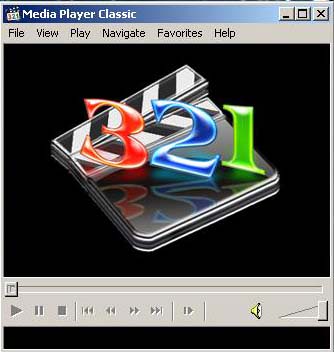
Press File and then save image on MP Classic and never use VLC unless you have no choice because it caps are not the best |
|
| Author: | Kevin77 [ Sat Aug 02, 2008 12:02 pm ] |
| Post subject: | |
Cobra wrote: Press File and then save image on MP Classic
and never use VLC unless you have no choice because it caps are not the best VLC makes the best quality caps. 
I don't use it because it doesn't have frame advance, and you can't choose a folder where the caps go. I use PowerDVD because I can frame advance to find the best shot. |
|
| Author: | Cobra [ Sat Aug 02, 2008 12:28 pm ] |
| Post subject: | |
donkeed wrote: Cobra wrote: Press File and then save image on MP Classic and never use VLC unless you have no choice because it caps are not the best VLC makes the best quality caps. I don't use it because it doesn't have frame advance, and you can't choose a folder where the caps go. I use PowerDVD because I can frame advance to find the best shot. What about the interlace on the scrolling words on pics I think it's caused by VLC and MPC makes the best HD pics
|
|
| Author: | Kevin77 [ Sat Aug 02, 2008 12:33 pm ] |
| Post subject: | |
Cobra wrote: donkeed wrote: Cobra wrote: Press File and then save image on MP Classic and never use VLC unless you have no choice because it caps are not the best VLC makes the best quality caps. I don't use it because it doesn't have frame advance, and you can't choose a folder where the caps go. I use PowerDVD because I can frame advance to find the best shot. What about the interlace on the scrolling words on pics I think it's caused by VLC and MPC makes the best HD pics VLC has de-interlace options, but I've found it works best without them. You have to get it when there's no motion. You still see the interlacing on the banner, but I don't care about that. I use Media Player Classic to play the HD h.264 transport files that Hauppauge records. Nero Showtime makes better caps with those files. Whatever works for you though. If you have a method that gets good caps with MP Classic than use it.
|
|
| Author: | Cobra [ Sat Aug 02, 2008 1:24 pm ] |
| Post subject: | |
I like that MPC has frame advance and just found out that F5 is the keyboard shortcut to take the pics 
|
|
| Page 1 of 1 | All times are UTC - 5 hours [ DST ] |
| Powered by phpBB © 2000, 2002, 2005, 2007 phpBB Group http://www.phpbb.com/ |
|